Preparing For Race Day
Race Day is approaching.
You're not building new fitness now - you're sharpening what you already have. Here's how to make the most of the next four weeks:
Week 1-2: Keep the intensity, manage the volume. Stay consistent with your training but start reining in the total weekly volume. You want to feel strong, not depleted, going into the final week.
Practice your weak station. Whatever station slows you down most - whether it's the Sled Push or the Wall Balls - spend focused time on it now. Not to the point of fatigue, but enough that it feels familiar and controlled on race day.
Run at race pace. If you've been training at an easy jog, it's time to include at least one session a week at the pace you plan to race. Your body needs to know what that feels like.
Week 3: Taper begins.Reduce volume, keep intensity. Short, sharp sessions. Your body needs space to absorb all the work you've done.
Week 4 (race week): Rest is training.Keep movement light. Sleep becomes your biggest performance tool. Sort your kit, know your travel plan, and get your nutrition dialled. Race day is not the day to try anything new - food, gear, warm-up routine, or otherwise.
Your kit checklist:
- Race bib (check your confirmation email)
- Grippy trainers - not maximalist, not minimal; something stable
- Gloves (optional but popular for Sled Push/Pull and Farmers Carry)
- Hydration and intra-workout fuel if you use it
- Change of clothes and a post-race snack
You've put the work in. Now it's about executing the plan - and trusting it.
We'll be right here with you every step of the way.
1. What is athlete tracking?
Track any HYROX athlete through every stage of their race. Whether they're on the start list, mid-course, or already finished. You'll see their live status, station splits, and overall and age group rankings as the race unfolds.
2. Adding an athlete to track
Steps
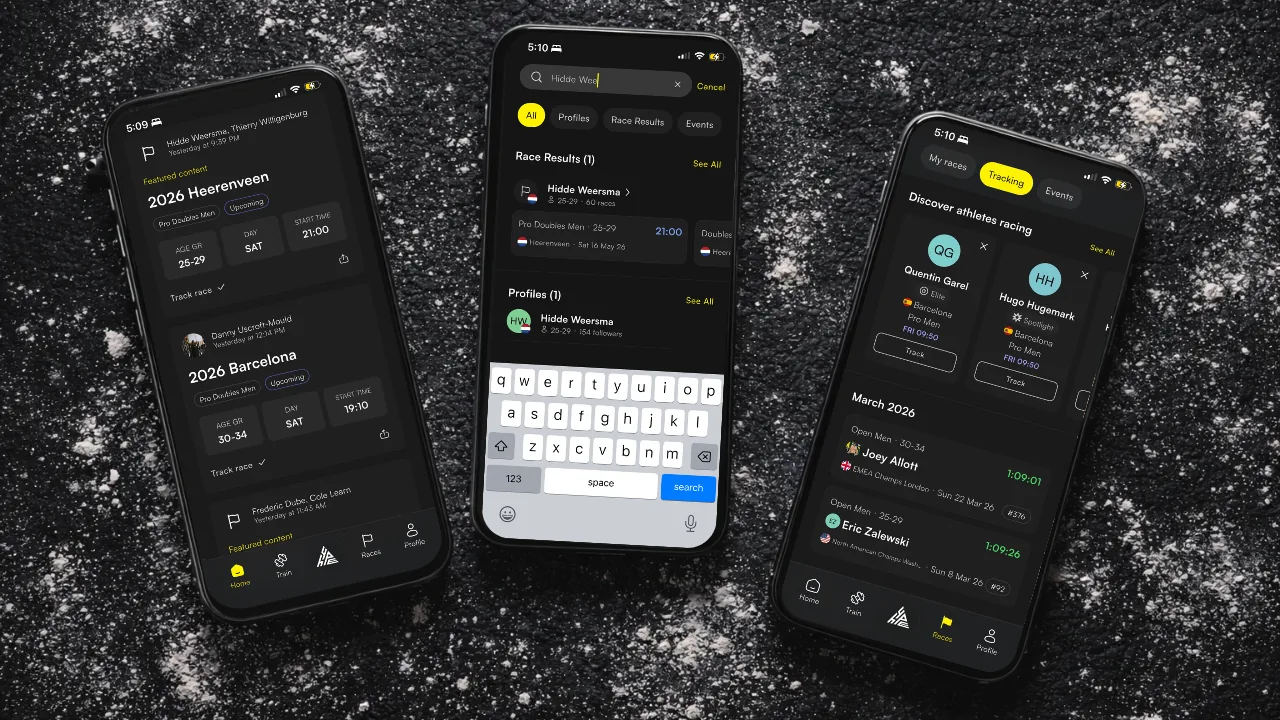
- Open the search: from the Home feed, tap the Track button, or from the Races tab, tap the search bar.
- Type in the name of the athlete you wish to track.
- Select the race you wish to track them in.
- Tap Track race.
That's it. They're on your Home feed under Tracked athletes from that point on. You'll get notified of their progress as the event develops.
3. Setting up notifications
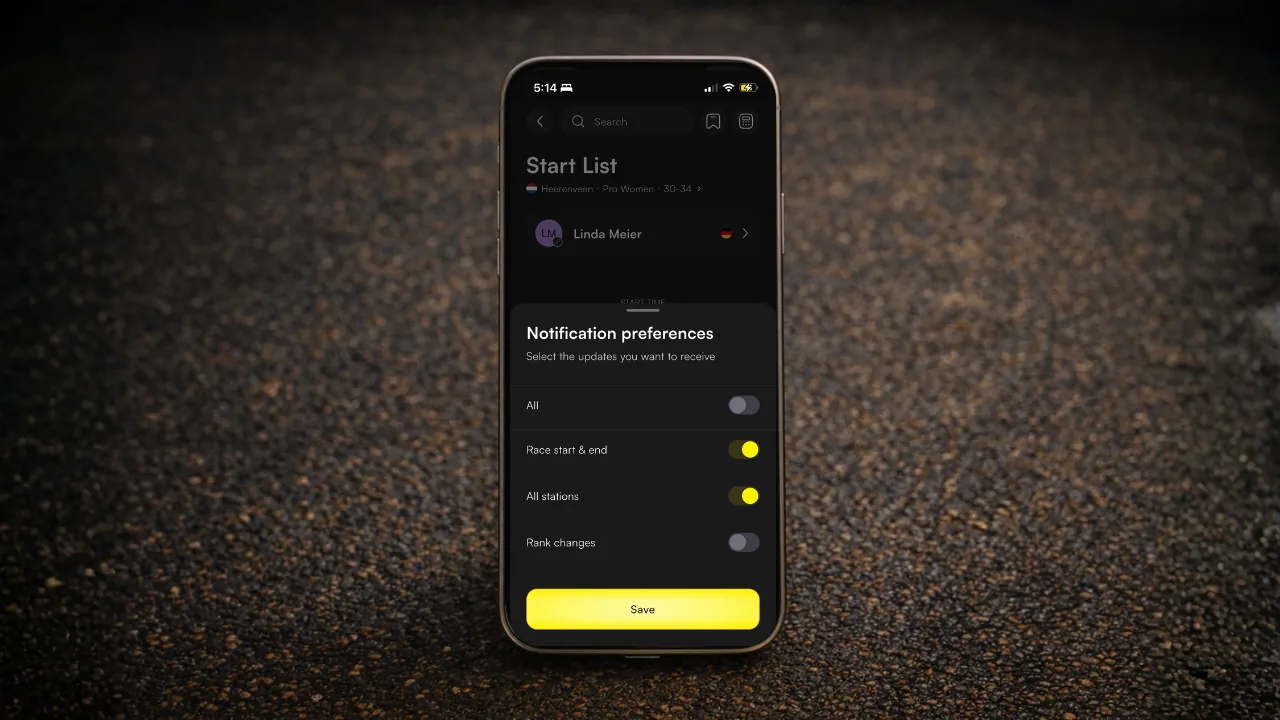
When you track a race you can choose exactly what you hear about and when.
| Notification | What it tells you |
|---|---|
| Start / End | When they cross the start and finish line |
| All stations | Updates as the race progresses and each station is complete: runs, and all 8 workouts |
| Rank changes | When their overall or age group ranking shifts during the event |
If you've ever tried to follow someone through a HYROX and spent the whole day refreshing a results page, this is the fix you need.
4. The Track tab
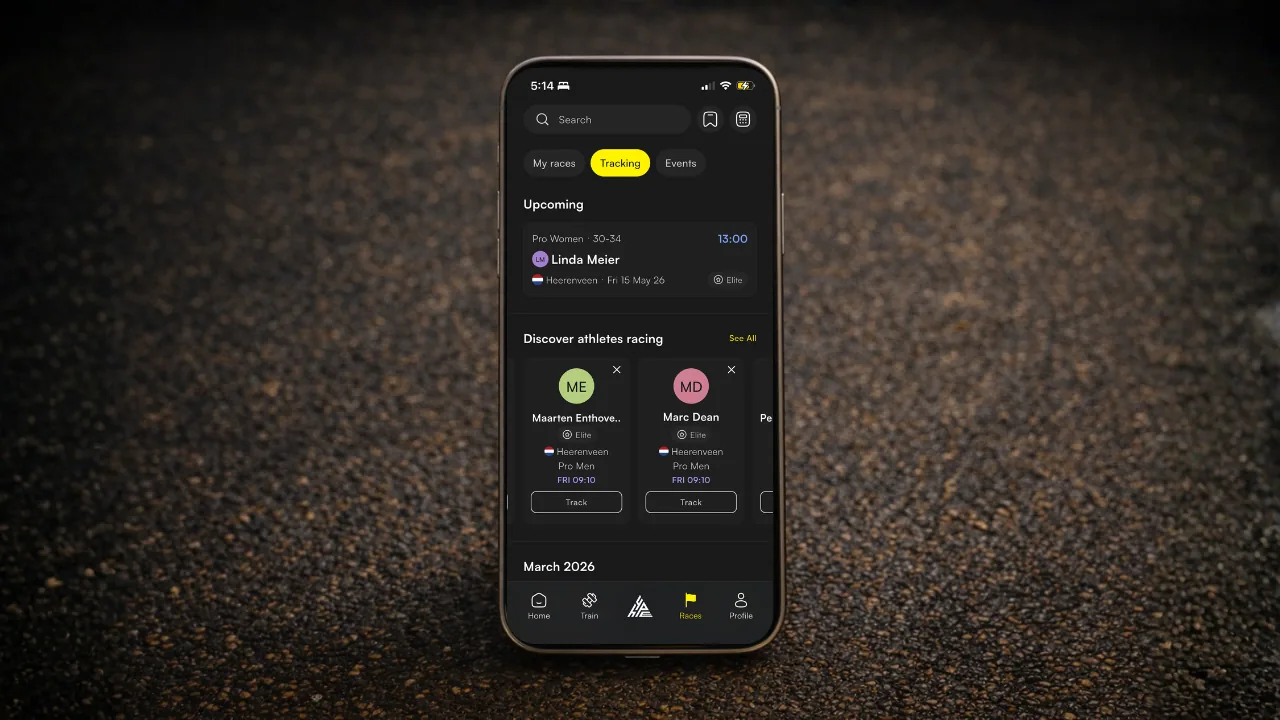
All your tracked athletes live in the Track tab of your Events page. At the top, all your upcoming tracked races are displayed. Each race card shows:
| Card element | What it shows |
|---|---|
| Date badge | Race date |
| Status | Live (red dot), Upcoming (purple time), Finished (green result), or DNS/DNF/DQ |
| Rankings | Overall rank (#OV) and Age Group rank (#AG) |
| Details | Division, Age Group, race name |
Tap any card to open the full result with splits and analysis.
5. Tracked athletes on the Home feed
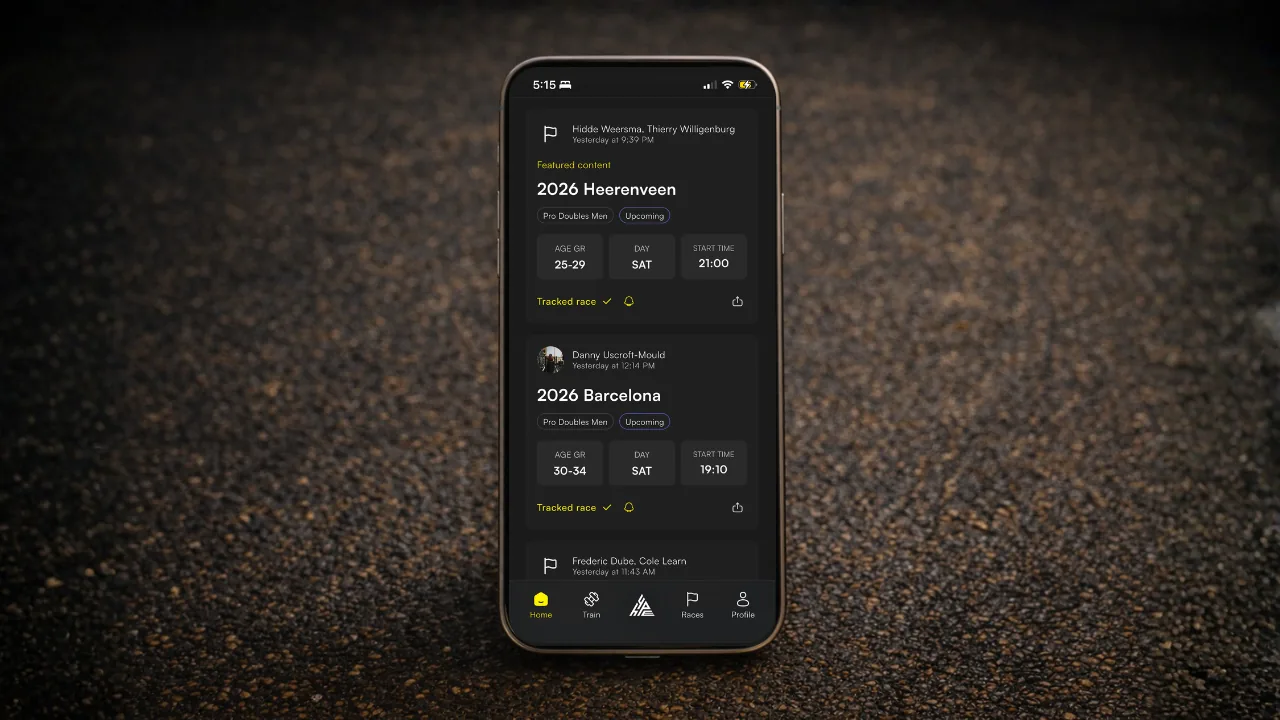
On race day, Tracked athletes appear on your Home feed showing a horizontal scroll of live cards for anyone racing that day. Tap a card to open their event, or tap See all to go straight to the Tracking view in the Events tab.
It sits at the top of your feed on race day. Hard to miss, which is the point.
6. Removing a tracked athlete
If for whatever reason you no longer wish to track an athlete (maybe you had an argument over squat depth on wall balls during a training session, idk). There are two ways to stop tracking a race entry:
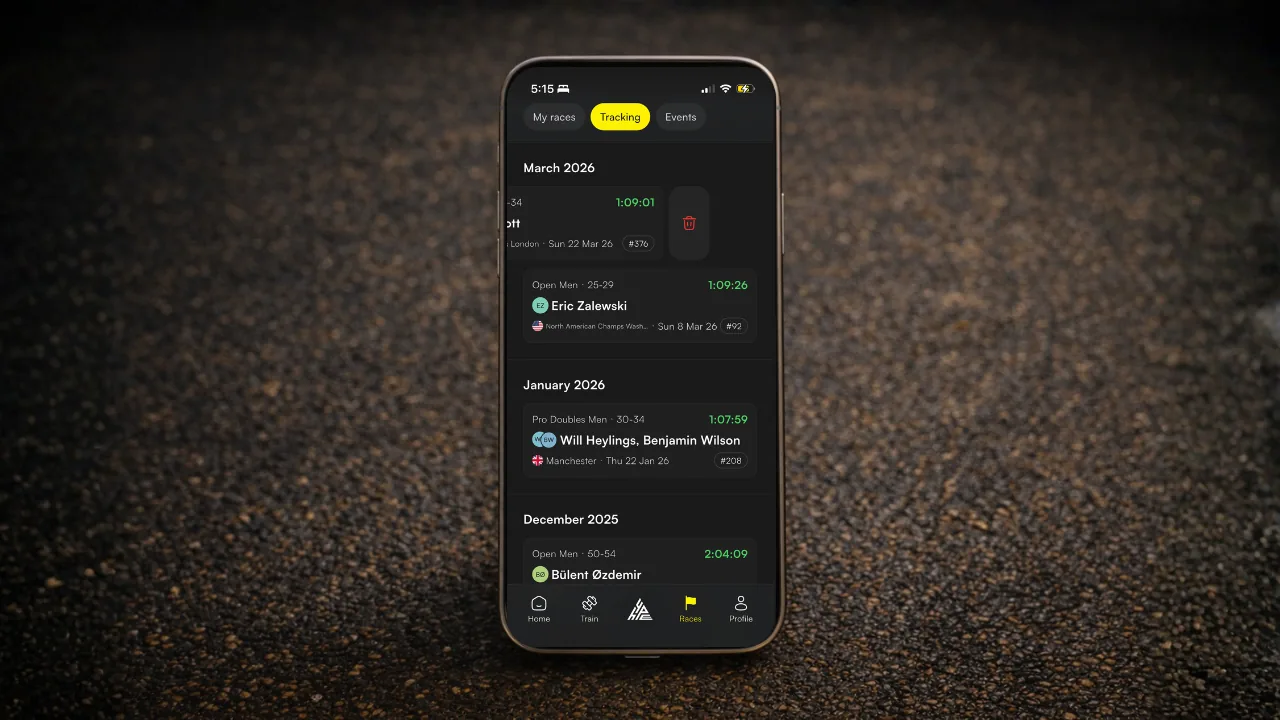
- From the Tracking view in the Events page: Swipe left on the race card and tap the bin icon to Delete.
- From the Home page: Tap the event you wish to remove tracking for, then untick the box that says Tracking race at the bottom.